Job costing for contractors: know the margin before you bid
By the Hewer team · · 1 min read
Plenty of busy contractors find out at tax time that a whole type of job lost money. Hewer keeps score job by job, from the bid to the last payment, so you find out while you can still change your prices.
Margin on the estimate
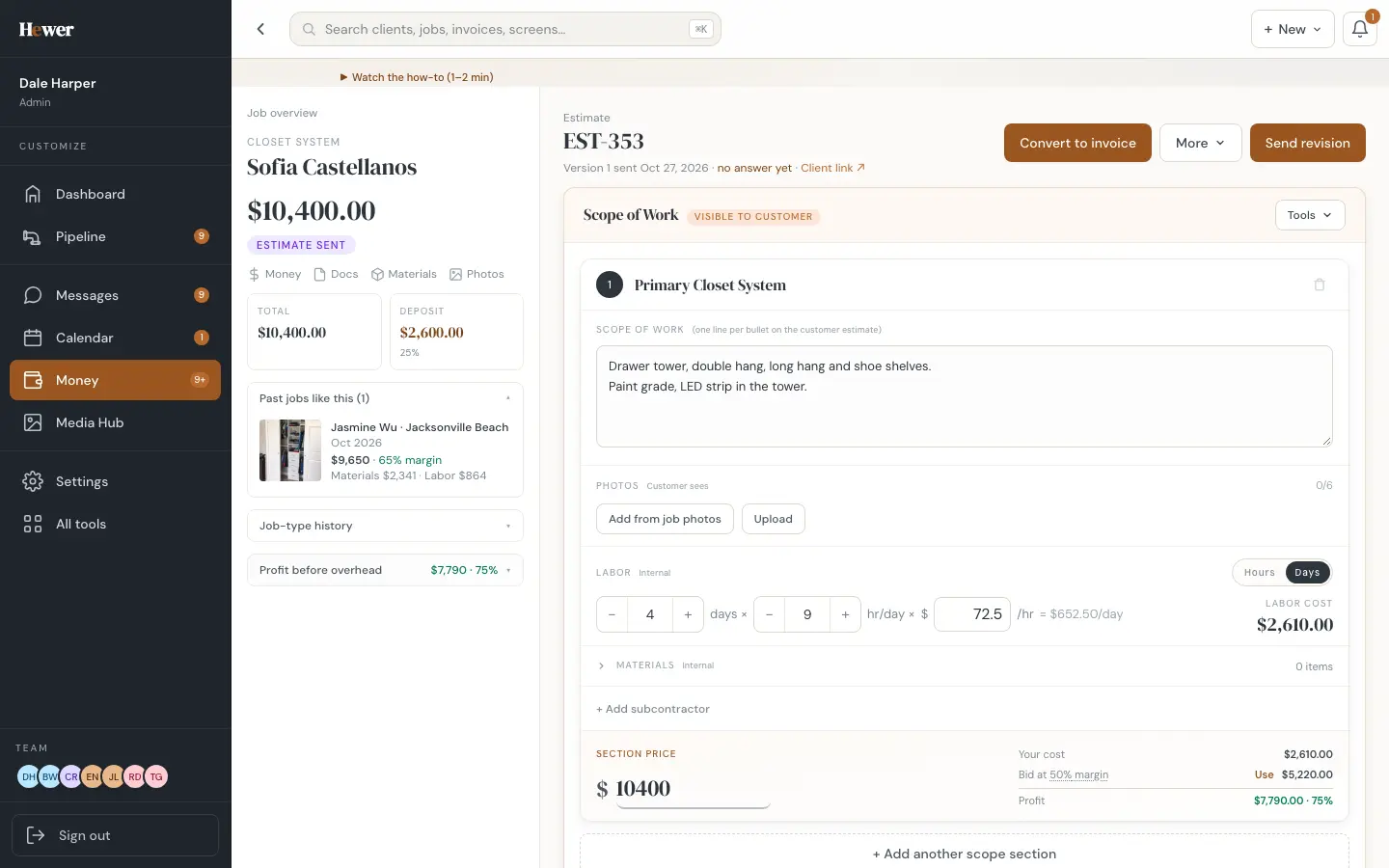
While you write an estimate, Hewer shows your cost, the bid at your target margin and the profit, live. A "past jobs like this" card shows what similar jobs sold for and made. See Leads and estimates.
Real costs as the job runs
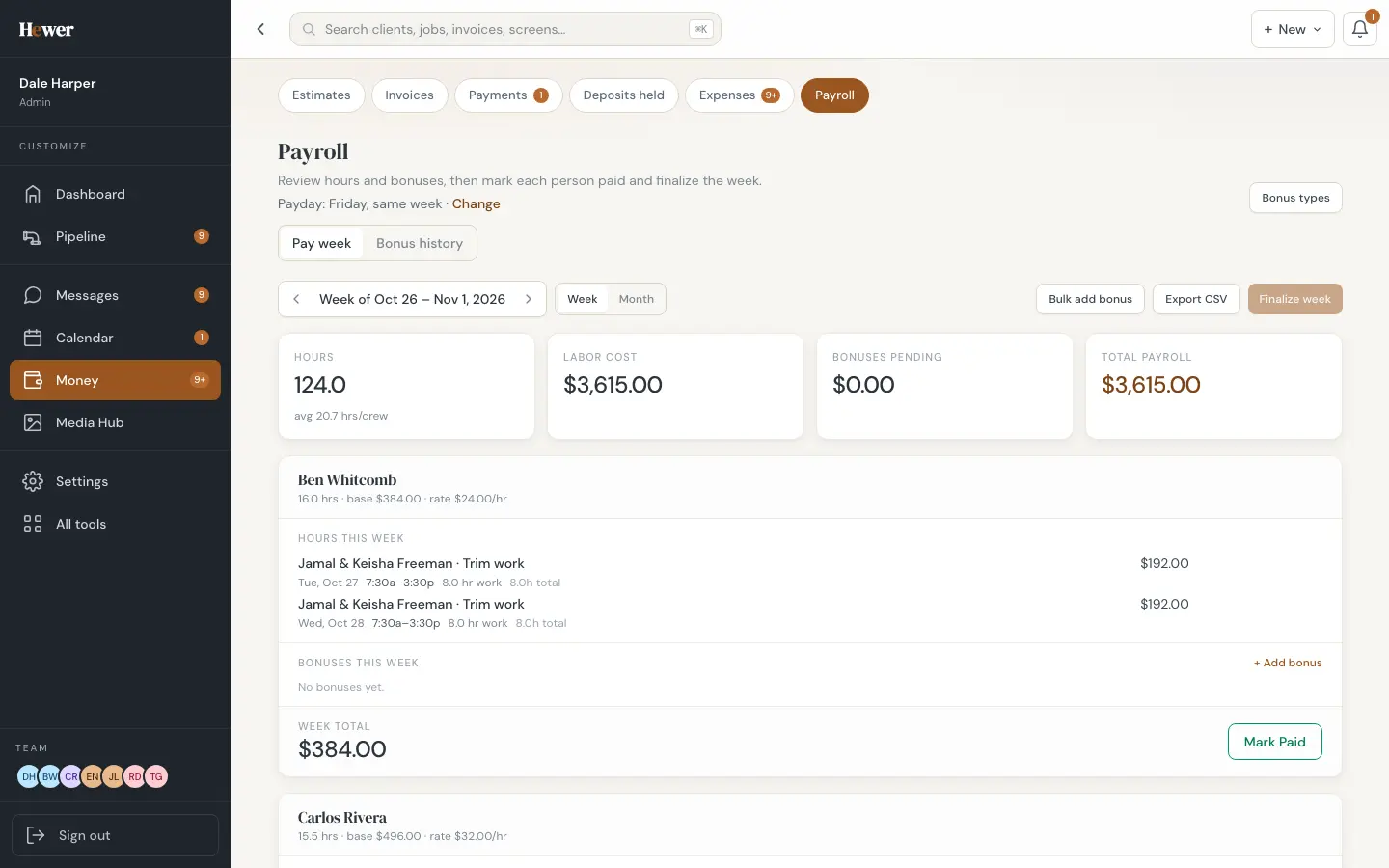
- Labor from crew clock-ins, at each person's rate.
- Materials and card charges matched to the job.
- Subcontractor invoices you approve.
- Change orders the customer signs.
True margin, frozen at payment
When the job is paid in full, Hewer freezes its true margin. Overhead can be spread across closed jobs, so the profit shown is after the rent, trucks and other fixed costs you pay anyway, not just materials and labor.
Reports that read like a scorecard
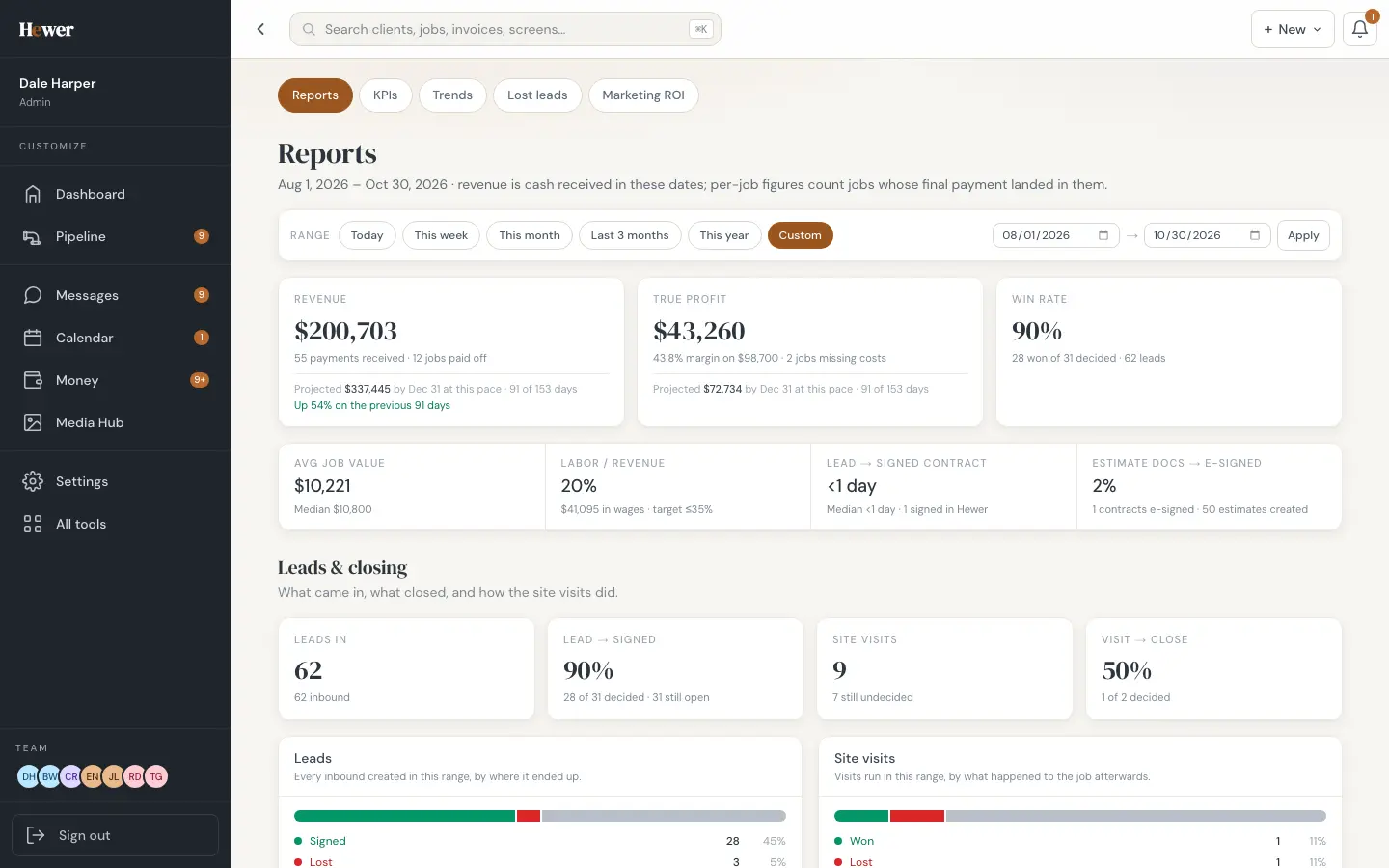
Reports show revenue, true profit, win rate, average job value, labor as a share of revenue, and how fast leads turn into signed contracts. A per-job-type view tells you which kinds of work pay best.
See also Payroll and receipts and expenses. Try Hewer free.
Questions
How does Hewer show the margin on a job?
While you write an estimate, Hewer shows your cost, the bid at your target margin and the profit, live. As the job runs it counts labor from crew clock-ins, matched materials and card charges, approved subcontractor invoices and signed change orders.
What is true margin in Hewer?
When a job is paid in full, Hewer freezes its true margin. Overhead can be spread across closed jobs, so the profit shown is after the fixed costs you pay anyway, not just materials and labor.
Can I see which types of work make the most money?
Yes. Reports show revenue, true profit, win rate and average job value, and a per-job-type view tells you which kinds of work pay best.