Leads and estimates: from first call to signed contract
By the Hewer team · · 3 min read
The money in a contracting business is made or lost between the first call and the signed contract. Leads slip when they live in a notebook, and estimates lose money when nobody checks the margin before they go out. Here is how Hewer handles that stretch, step by step.
One list for every lead
New inquiries come in from your website's lead form, from Thumbtack, from the AI phone assistant, or from you typing one in after a call. They all land in the same Leads list, and a second inquiry from the same phone number is matched to the first instead of creating a duplicate.
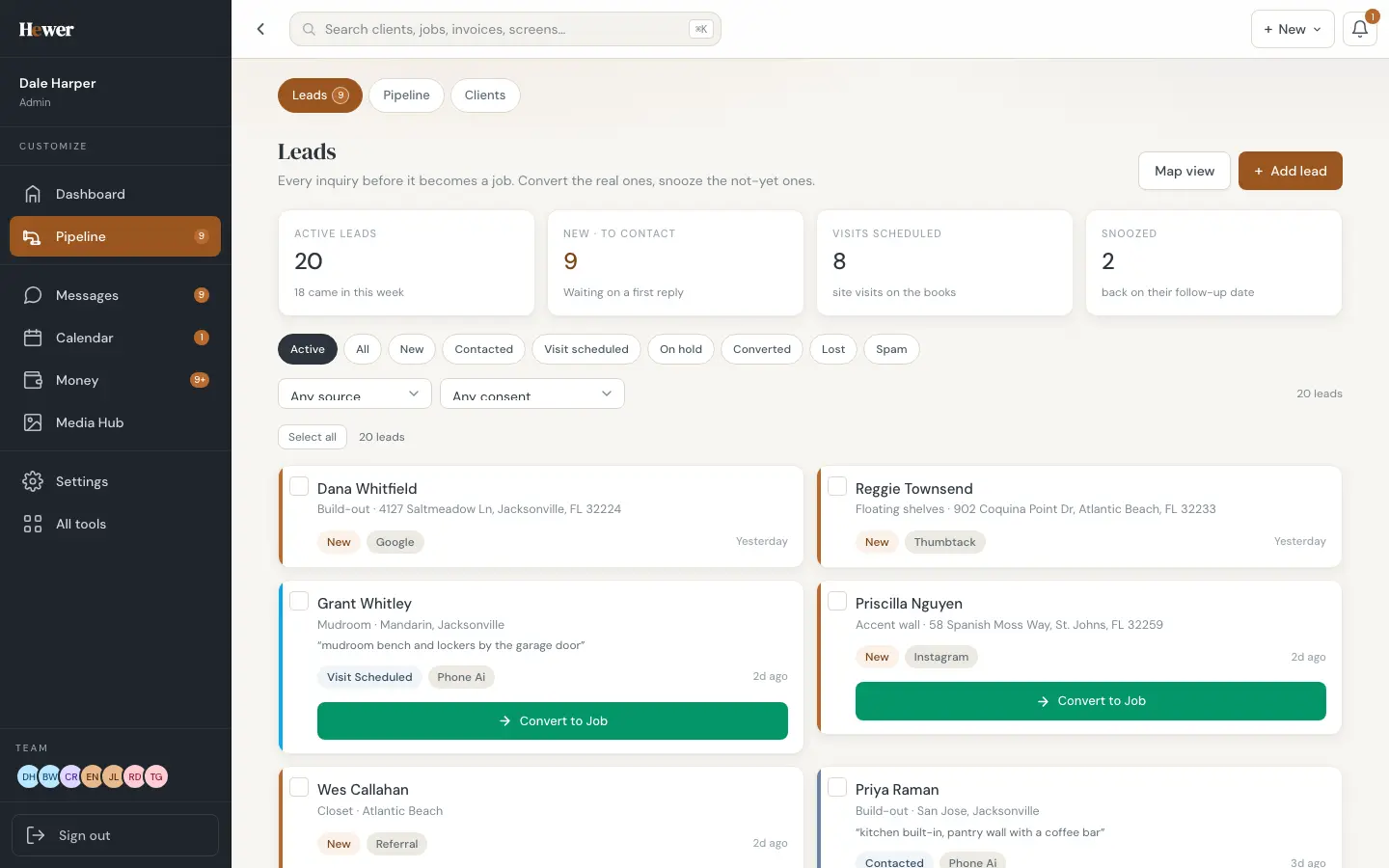
The tiles across the top tell you what needs doing: how many leads are waiting on a first reply, how many site visits are booked, and how many you snoozed until a date the customer gave you. Filters cover new, contacted, visit scheduled, on hold, converted, lost and spam.
The pipeline shows money, not just names
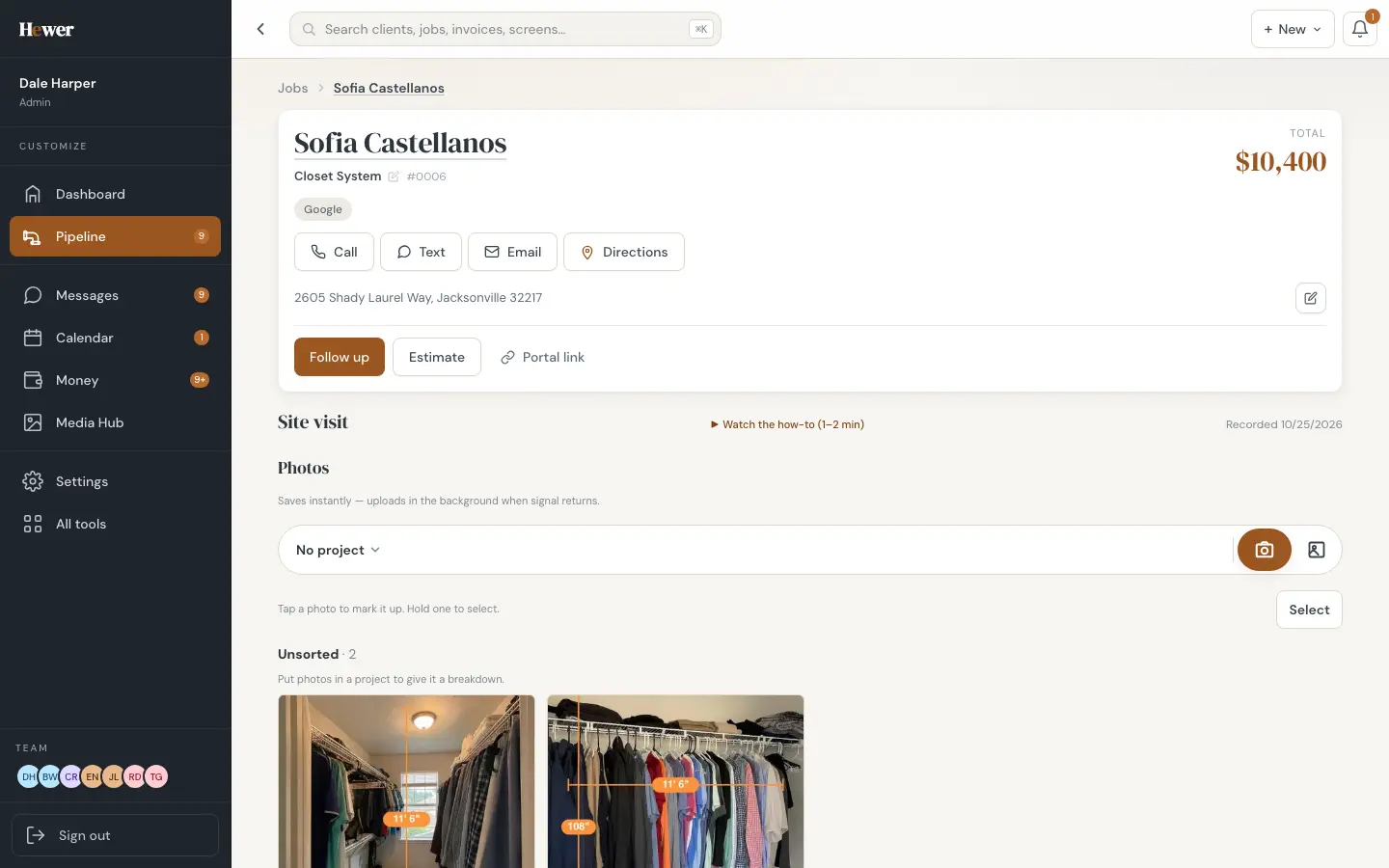
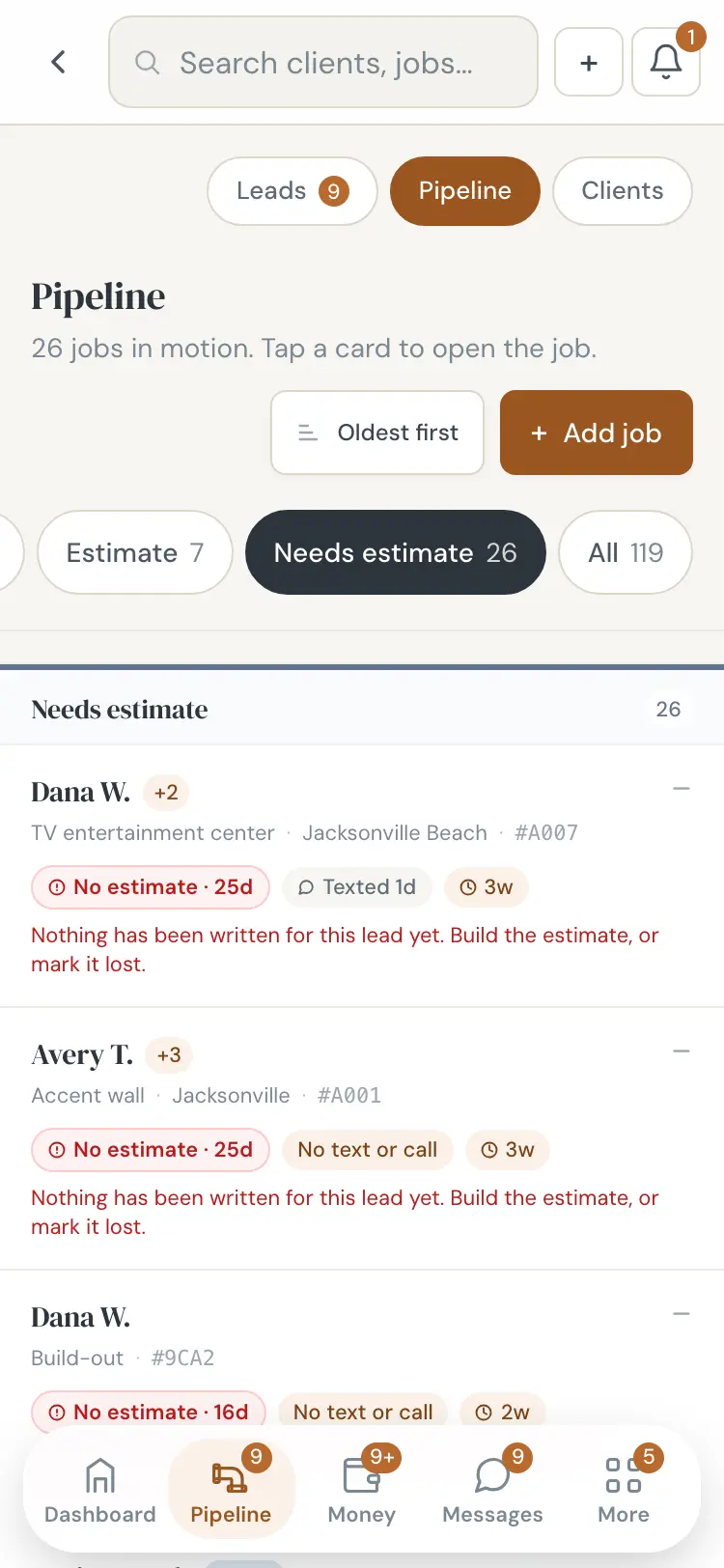
Once a lead becomes a job, it moves across the pipeline board: needs estimate, estimate sent, scheduled, in progress, final invoice. Each column shows its gross and projected profit, and each card shows how long it has sat there and whether anyone has called. Drag a card to change its stage.
Writing the estimate
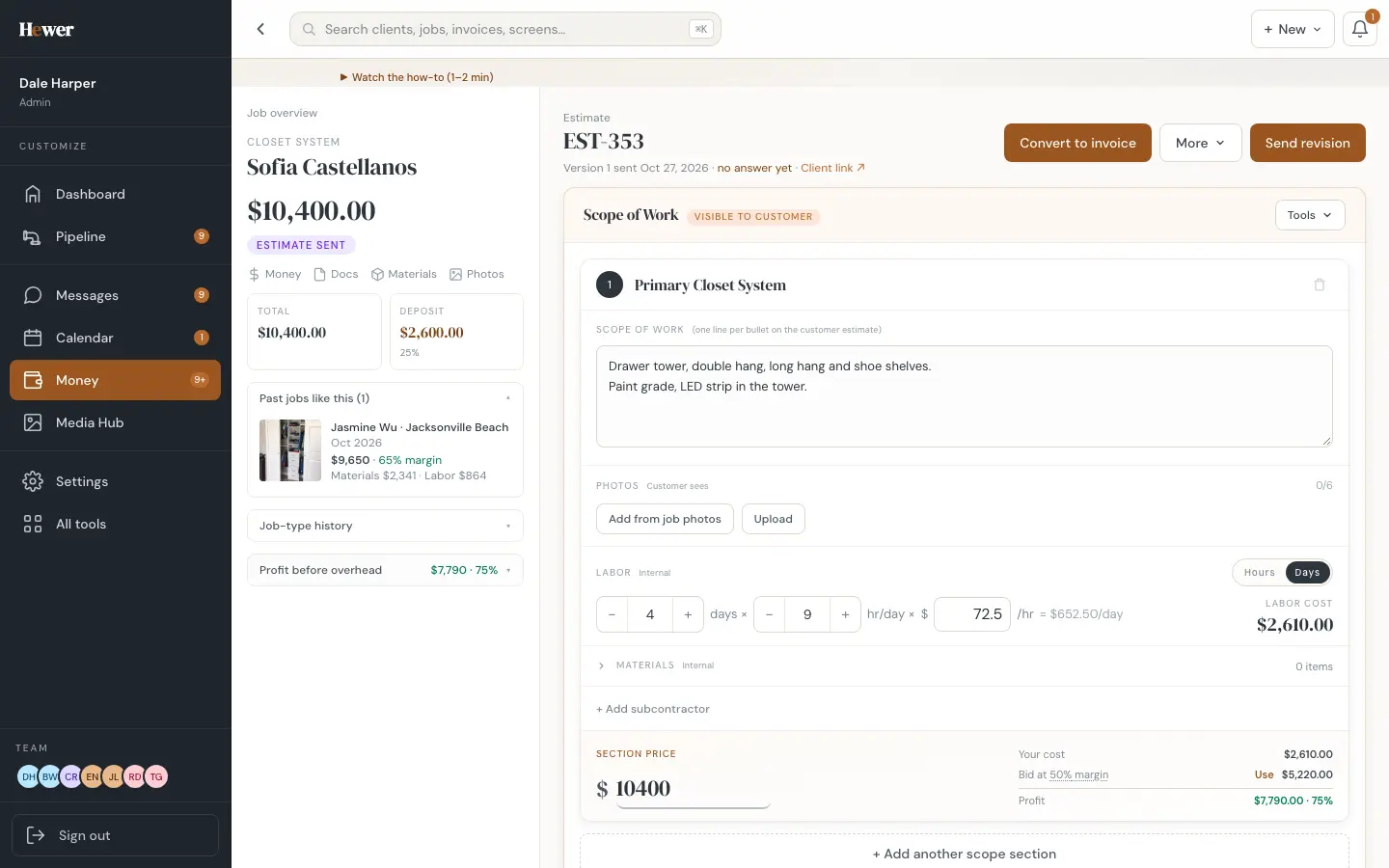
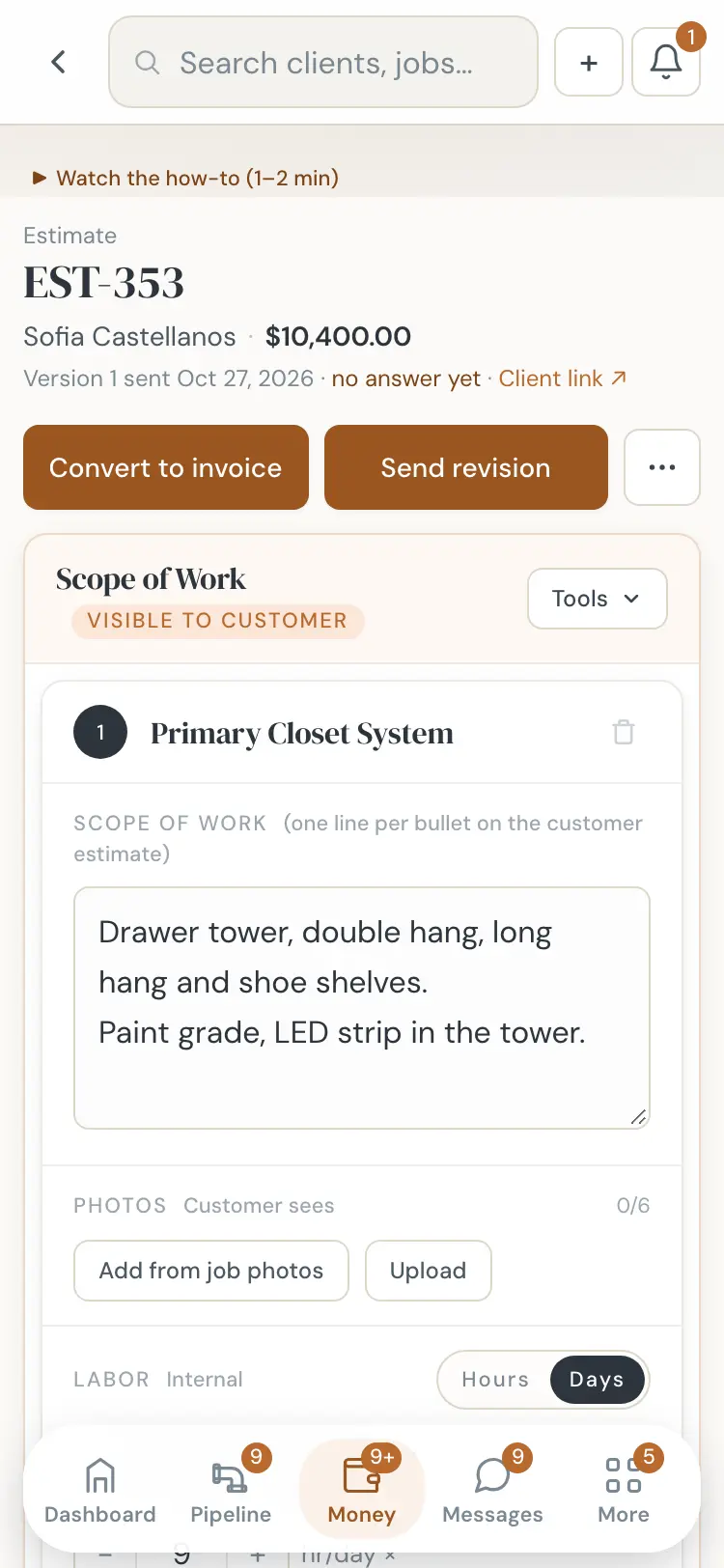
An estimate in Hewer is built in sections, one per area of work. Each section has a scope written for the customer, one line per bullet, plus photos they will see. Underneath, out of the customer's view, you put the labor in hours or days, materials from your catalog, and any subcontractor costs.
- Section price. Set one price for the section, or let Hewer add it up from labor and materials.
- Cost and margin, live. Your cost, the bid at your target margin, and the profit update as you type.
- Past jobs like this. A card shows what similar jobs sold for, what they cost and the margin they made.
- Pricing knobs. Markup, a job minimum and a buffer, set once in Settings and applied to every estimate.
Sending, signing and the deposit
The estimate goes out as a branded PDF with your logo and license number, plus a link. The customer can approve or decline from their phone and sign with their finger. Hewer keeps the audit trail: who signed, when, and from where. Approval creates the contract and the deposit invoice right away, so the money side starts without anyone retyping numbers.
If the customer hasn't opened the estimate, Hewer can follow up for you on a schedule you choose in Settings, and the job card shows when the last contact was so nothing goes quiet by accident.
Why margin on the estimate matters
Many contractors only learn what a job made after it is paid, if ever. Hewer shows the expected profit before you send the bid, then tracks the real labor, materials and card charges against it while the job runs. When the job is paid, the true margin is frozen on the record, and the next estimate for that job type starts from what you actually earned.
See how signed jobs get onto the calendar in Construction scheduling, or how the customer approves and pays in The customer portal. Ready to try it on a real job? Start the trial.
Questions
Can I use my own line items and prices?
Yes. Your materials catalog, labor rates, markup and job minimum are yours to set. Presets per job type fill in a starting point that you can change on every estimate.
Does the customer see my costs?
No. The customer sees the scope, the photos you choose and the price. Labor, materials, subcontractor costs and margin stay on your side.
Can customers sign on their phone?
Yes. The estimate link opens on any phone. They approve or decline, sign with a finger, and can pay the deposit right after.