A customer portal your customers will actually use
By the Hewer team · · 2 min read
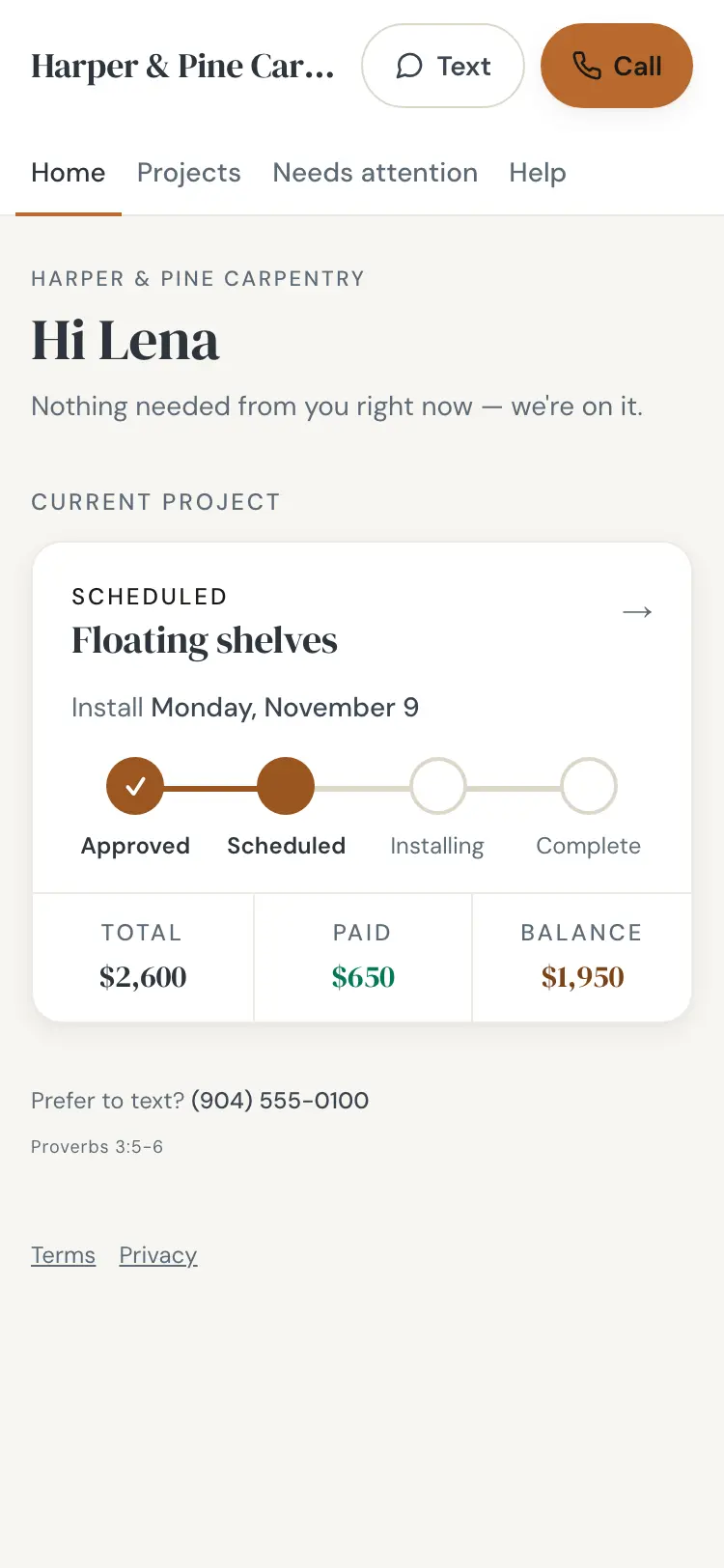
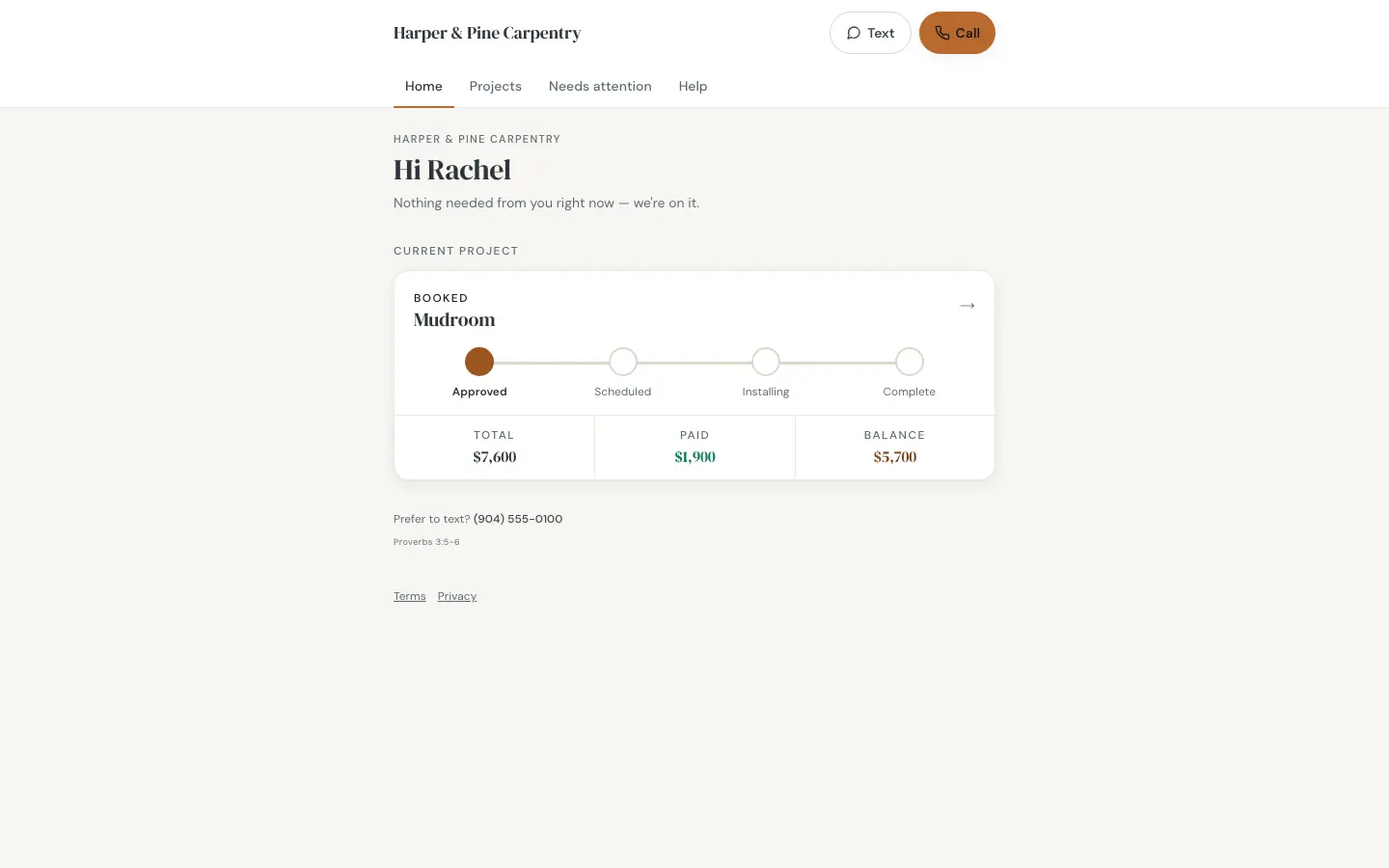
Customers who don't know what's happening call you to ask. A good portal answers those questions before they're asked. Every Hewer job gets a private link for the customer, with your company's name on it, that works on any phone with no app and no password.
Where the job stands
The portal opens on a simple tracker: approved, scheduled, installing, complete. Under it are the total, what's been paid and the balance. A "what happens next" card changes with the stage, so the customer always knows what to expect.
Approve, sign and pay
The estimate opens from the portal. The customer approves or declines with one tap and signs with a finger. Hewer keeps an audit trail with the time and IP address of the signature. Then they can pay the deposit or the balance by card, Apple Pay or Google Pay, or with your Zelle, Venmo or Cash App handle.
Picking their own start date
If you turn it on, a customer whose contract is signed and deposit is paid can book an open start date on the portal. The open dates come from your daily crew capacity, so they can't book a day you're full. You can switch it off for any job.
Photos, scope and the crew
As the job runs, the portal fills in: progress photos from the crew app, the scope notes, and the crew who are coming, each with a short bio.
After the job
When the work is done, the customer can download a completion certificate, send a thank-you note that goes to the crew, and ask the owner a question. It's also where the review request points them.
Nothing for the customer to install
The link is private to that job and works in any browser. There's no account and no password for the customer to forget.
The portal ties together invoicing and payments and scheduling. See the rest on the features page or try it free.
Questions
Does my customer need to download an app?
No. The portal is a private link that opens in any phone or computer browser.
Is the portal branded with my company?
Yes. It shows your company's name and contact buttons.
Can customers sign contracts on the portal?
Yes. They approve and sign with a finger, and Hewer keeps a timestamped audit trail of the signature.