Invoicing and payments for contractors: get paid without chasing
By the Hewer team · · 2 min read
Getting paid is the part of the job nobody went into the trades for. Hewer cuts most of the chasing out: the deposit invoice goes out when the customer approves, the balance is one tap away on their portal, and every payment that comes in is matched to its job.
The deposit goes out on approval
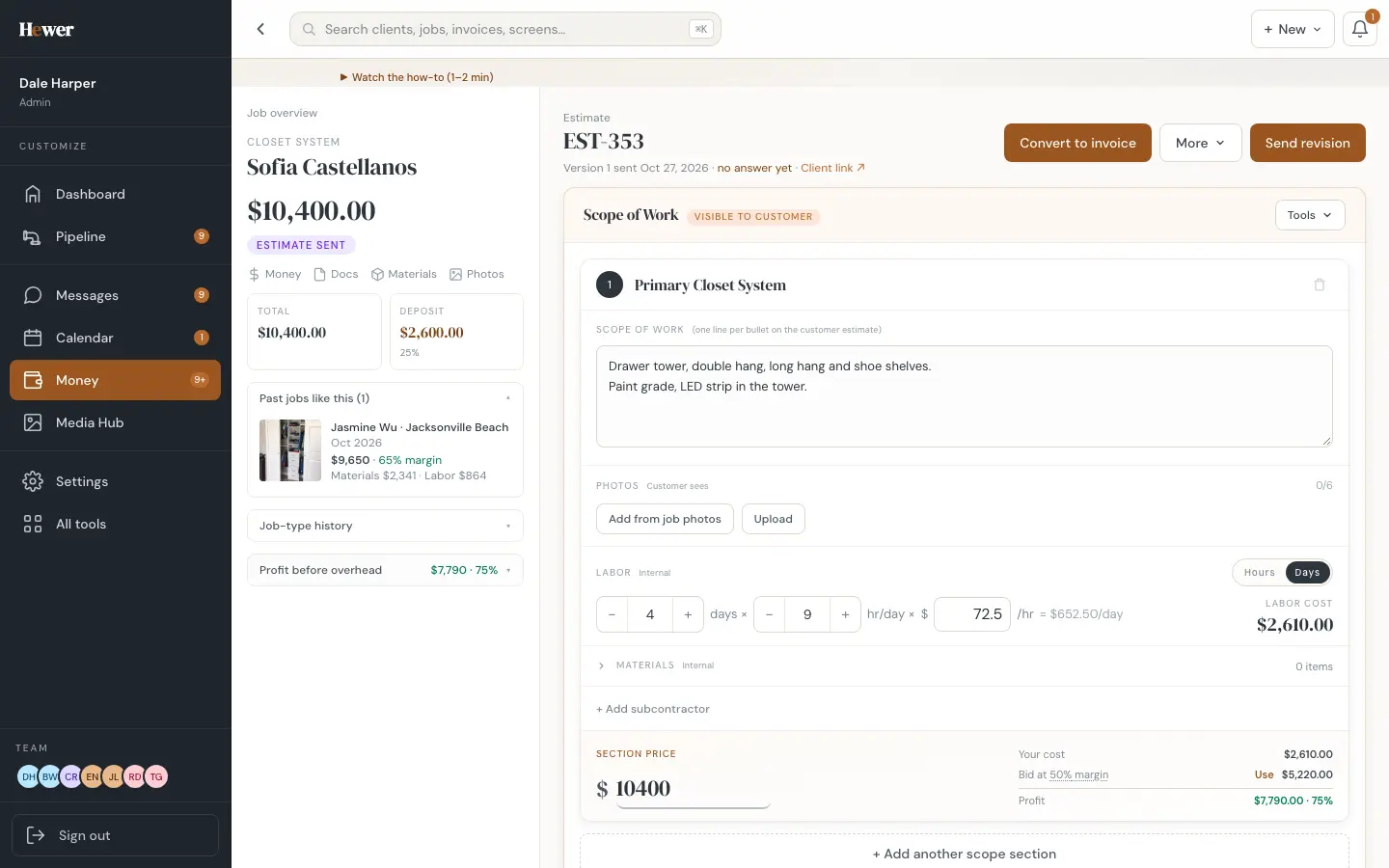
When a customer approves an estimate, Hewer creates the contract and the deposit invoice right away. You set the deposit percentage once. No retyping, and no week-long gap between yes and the first payment.
Ways your customers can pay
- Card, Apple Pay and Google Pay, through Stripe.
- Your own Zelle, Venmo or Cash App handle, shown on the invoice.
- Check or cash, logged by hand.
Hewer takes no cut of your payments. Card payments carry Stripe's standard fee, and the money goes to your own Stripe account.
Every payment matched to its job
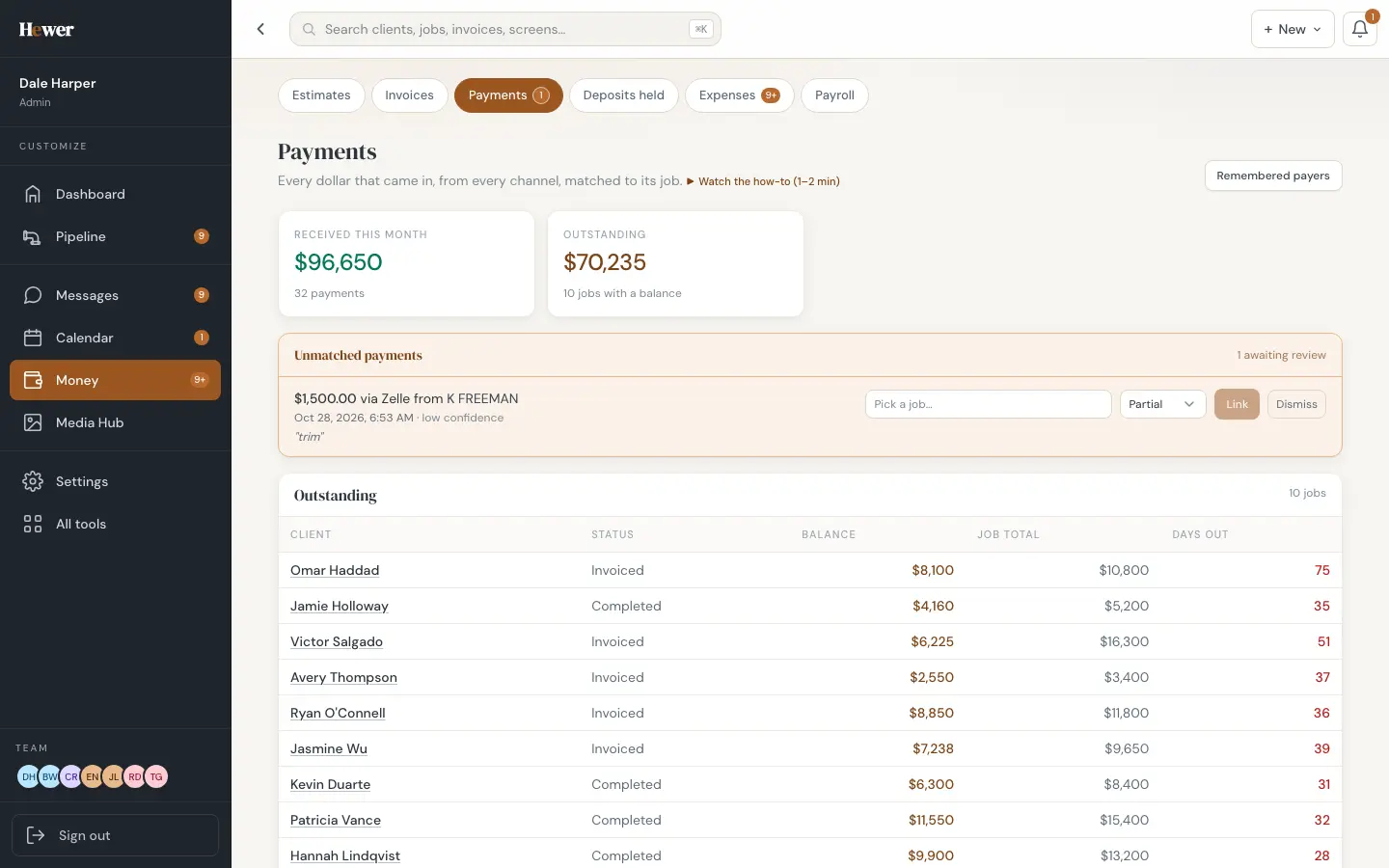
The Payments screen shows every dollar that came in this month, from every channel. When a payment arrives that Hewer can't place on its own, like a Zelle transfer with only a last name, it waits in an Unmatched queue with a suggested job, and you confirm it with one click.
Know where the cash stands
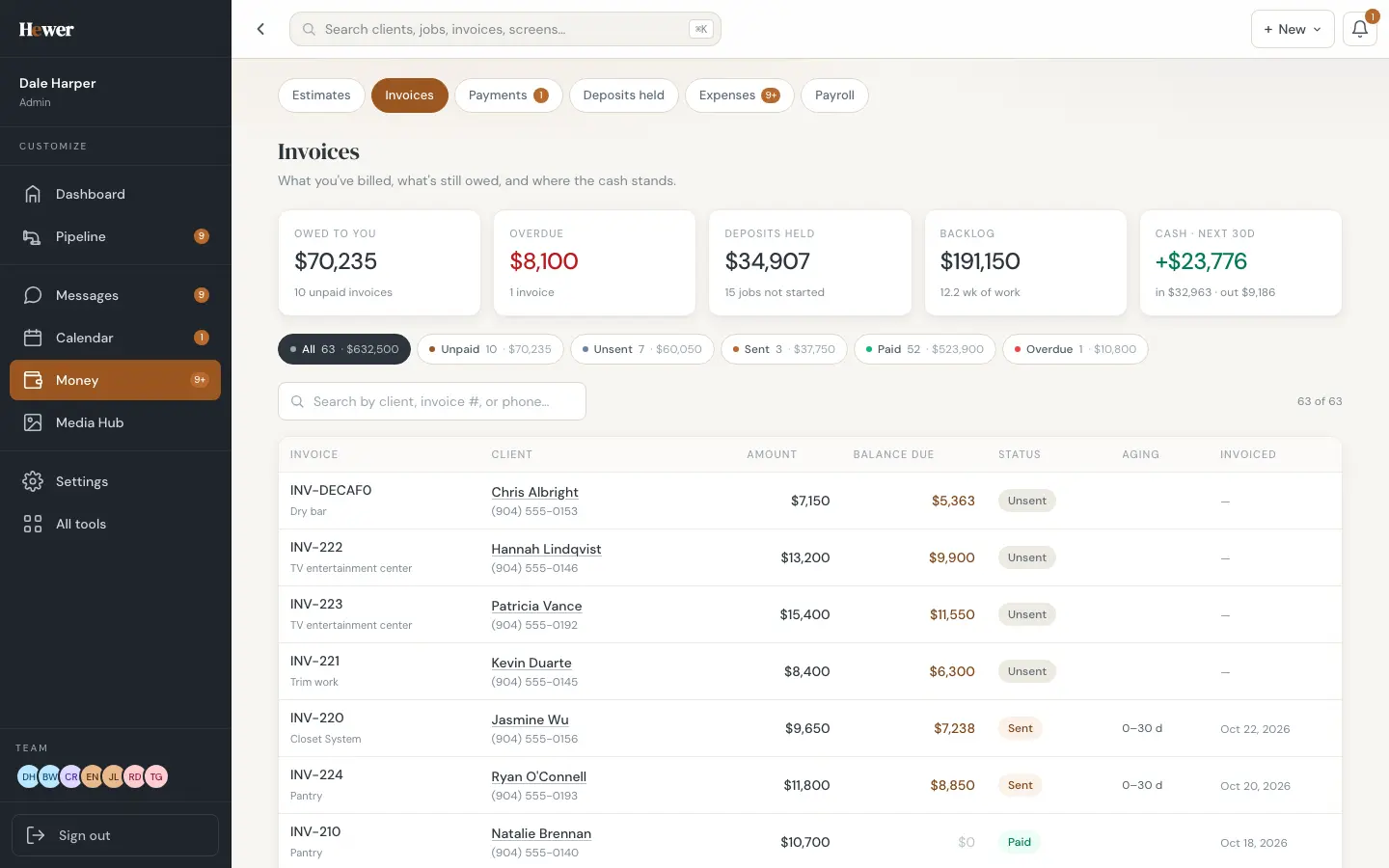
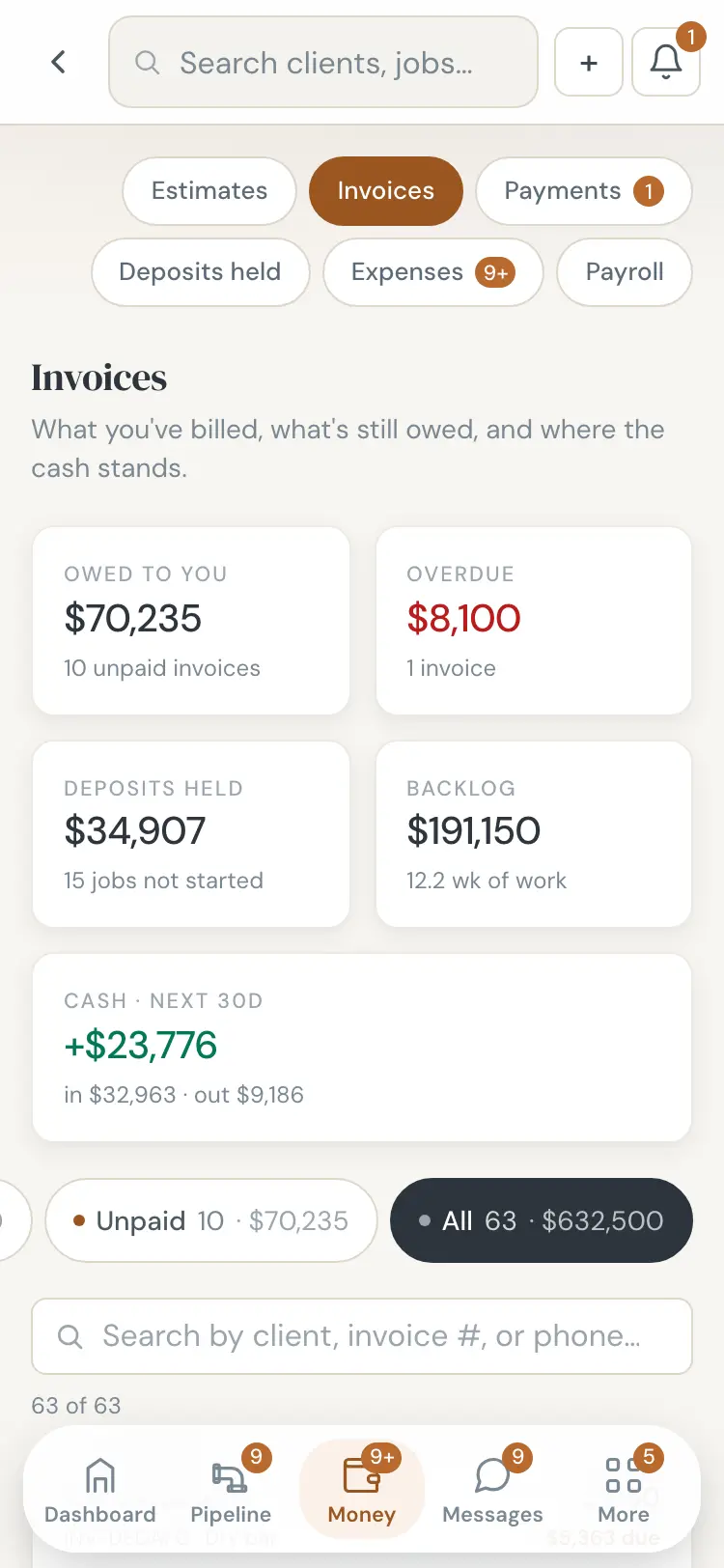
The Invoices screen leads with five numbers: owed to you, overdue, deposits held for jobs not started, your backlog in weeks of work, and the cash expected in the next 30 days. Below that, every invoice with its balance, status and age. Filter to unpaid, unsent, sent, paid or overdue.
The customer's side
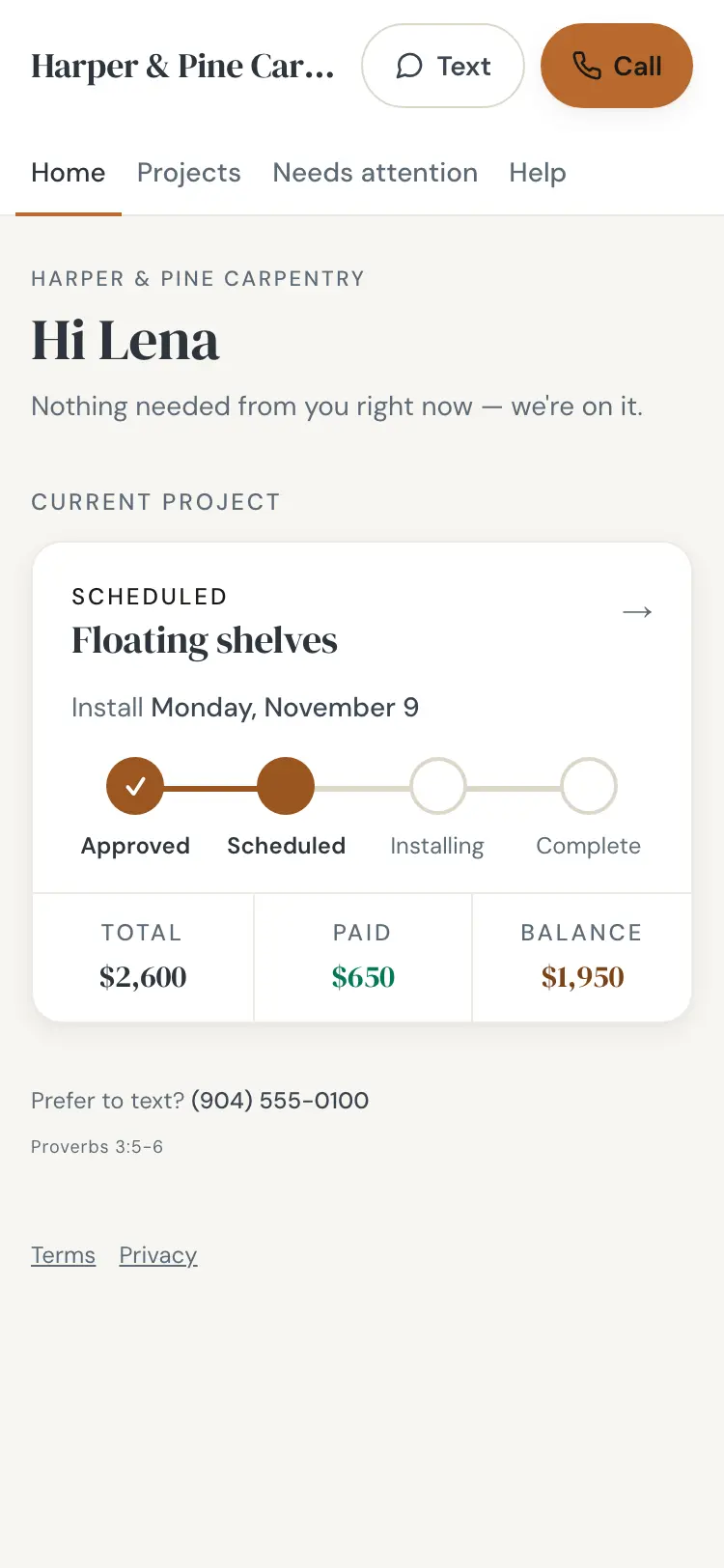
Customers see the total, what they've paid and the balance on their portal, with a button to pay. Paid invoices and the signed contract stay there for them to download. See The customer portal.
After the money comes in
Payments feed the job's margin, the cash-flow view and the reports, so your bookkeeper gets clean numbers. When the job is paid in full, Hewer freezes its true margin and can ask the customer for a review. See Reviews and marketing.
Compare plans on the pricing page, or start a trial and send your first invoice today.
Questions
Does Hewer charge a fee on my payments?
No. Hewer takes no cut. Card payments carry Stripe's standard processing fee.
Can customers pay with Zelle or Venmo?
Yes. Add your Zelle, Venmo or Cash App handle and it shows on the invoice. Hewer then matches those payments to the right job.
Can I take a deposit before the job starts?
Yes. A deposit invoice is created automatically when the customer approves the estimate, at the percentage you set.