Reviews and marketing for contractors, without a marketing hire
By the Hewer team · · 2 min read
Most contractors get their best work from people who saw their last job or read their reviews. The problem is time: asking every customer for a review and posting photos of every job is the first thing to slip in a busy week. Hewer does the asking and the sorting for you.
A review request after every job
When a job is completed or paid in full, Hewer asks the customer for a Google review: up to three friendly asks, spaced out and sent only in your contact hours, and it stops as soon as they leave one or opt out. All it needs is your Google review link in Settings.
All your reviews in one place
Google reviews are synced every night. You can add reviews from anywhere else by hand or import old ones, so the count and the average rating cover your whole history.
What customers keep saying
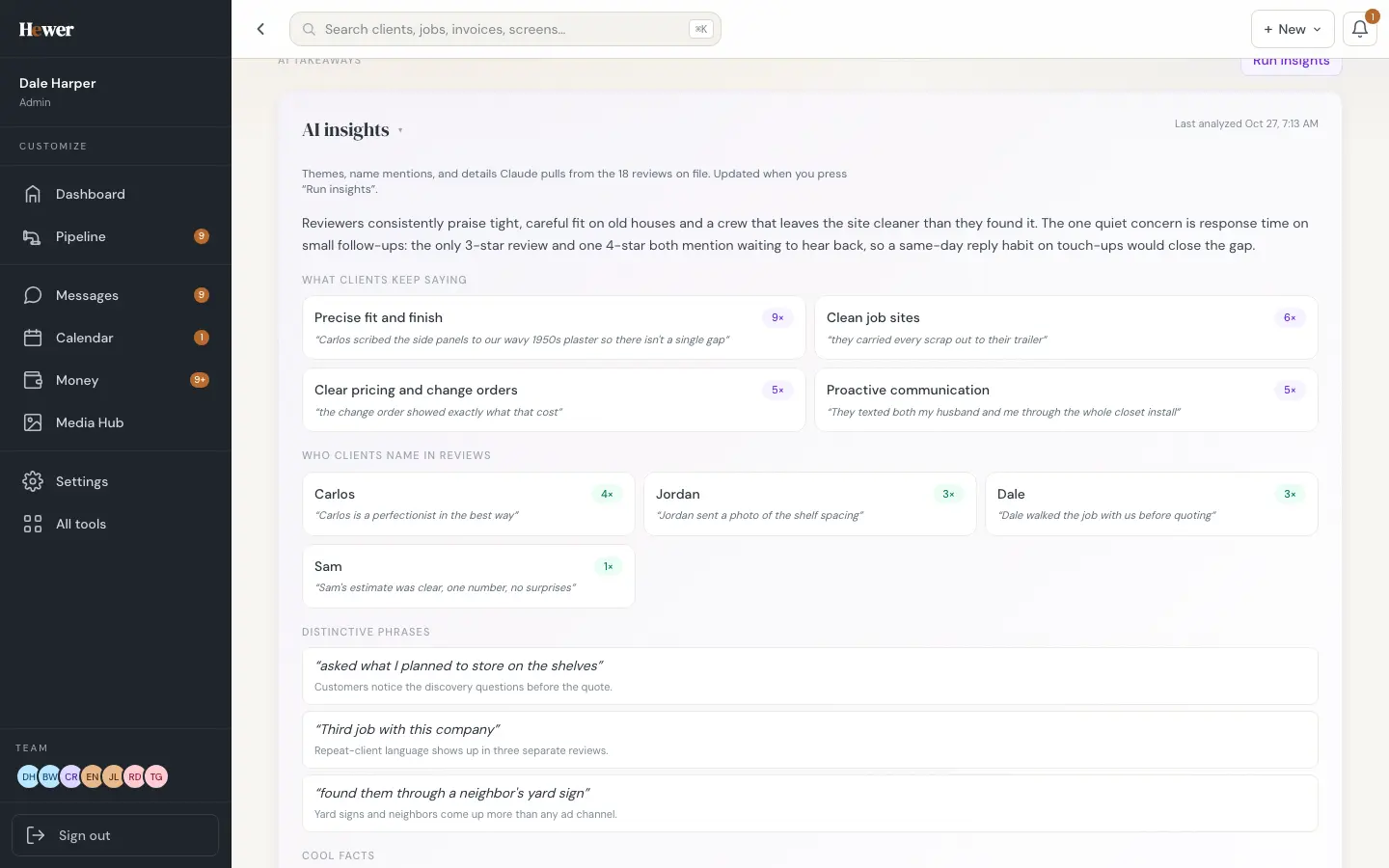
Press Run insights and Hewer reads every review and sums it up: the themes that come up again and again, the exact words customers use, and which crew members they mention by name. It's useful for your own marketing copy, and it's a nice thing to show the crew on a Monday morning.
Every job photo, tagged and ready
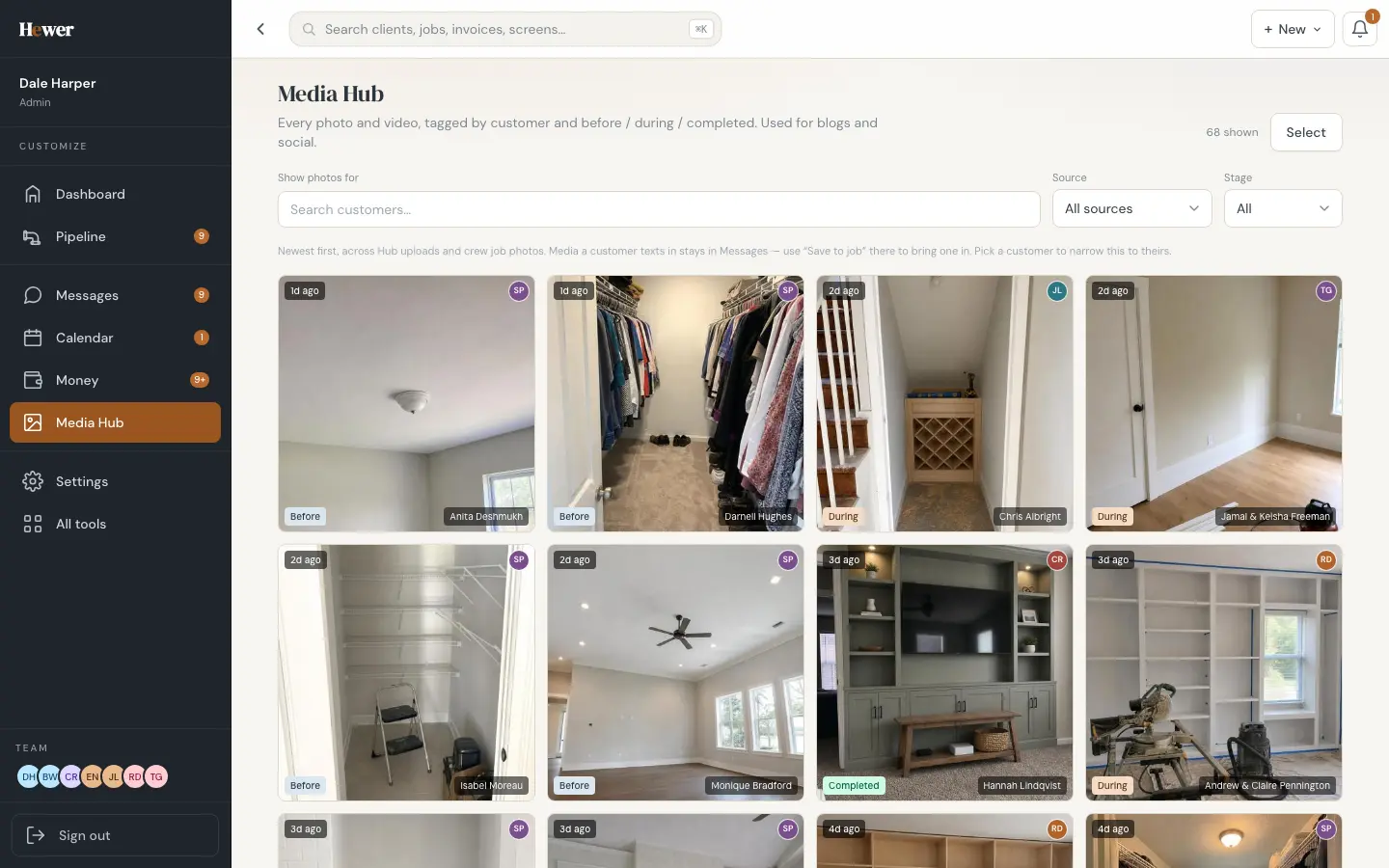
Photos from the crew app and from site visits land in the Media Hub, tagged by customer and by stage: before, during and completed. Filter by customer or stage and pick the shots you want to post.
Captions and blog posts written for you
Crew photos that pass the quality check go into an Instagram queue with three caption options written for you. Pick one, edit it if you like, and post it. If you have a website blog, Hewer can draft posts from a job's before, during and after photos, aimed at the neighborhood and the service, on a schedule you set. Nothing goes out without your say.
Where your leads come from
Every lead keeps its source, so the reports can show which channels bring work that actually closes, and what each one costs if you log your ad spend.
Reviews start with finished jobs, and finished jobs start with good estimates: see Leads and estimates. Or try Hewer free and connect your Google review link on day one.
Questions
How does Hewer ask for Google reviews?
After a job is completed or paid in full, Hewer sends the customer up to three polite review requests, only during your contact hours, and stops once they leave a review or opt out.
Can I control what gets posted?
Yes. Captions and blog drafts are suggestions you edit and approve. Nothing is posted for you without your say.